Kustomize for Kubernetes Configuration Management
Handling Common Concerns using Kustomize

Introduction
Kustomize is a Kubernetes-native configuration management tool. Initially, it was created to address some of the shortcomings of the kubectl CLI, and it was integrated into kubectl with the release of K8s version 1.14. This integration allowed users to apply kustomization.yaml files directly using kubectl without needing a separate installation of Kustomize. The goal of this post is to demonstrate the principles behind Kustomize, how to use Kustomize for applying common metadata, injecting default configuration, and dynamically generating ConfigMaps and Secrets from configuration files.
Principles behind Kustomize
Declarative object configuration is the foundational principle in Kubernetes (K8s) and tools like Kustomize use it for resource management. This approach, where the desired state of resources is declared rather than the steps to achieve it, forms the bedrock of how Kustomize functions. A key concept in modern cloud-native infrastructure management, which underlies tools like Kustomize, is treating configurations as immutable. Once a configuration is applied, it is not modified directly; rather, a new configuration is applied over it.
Kustomize also supports modularity and reuse through the idea of a base configuration (a set of K8s manifests) and customize it for different environments (e.g., test, production) via K8s-aware patching without making in-place changes to the original YAML manifests and no duplication (i.e., DRY) that’s fundamental to Kustomize's design. Kustomize applies the foundational principles of abstraction, reuse, and modularity through its overlay mechanism. This allows for building upon a base configuration with environment-specific modifications.
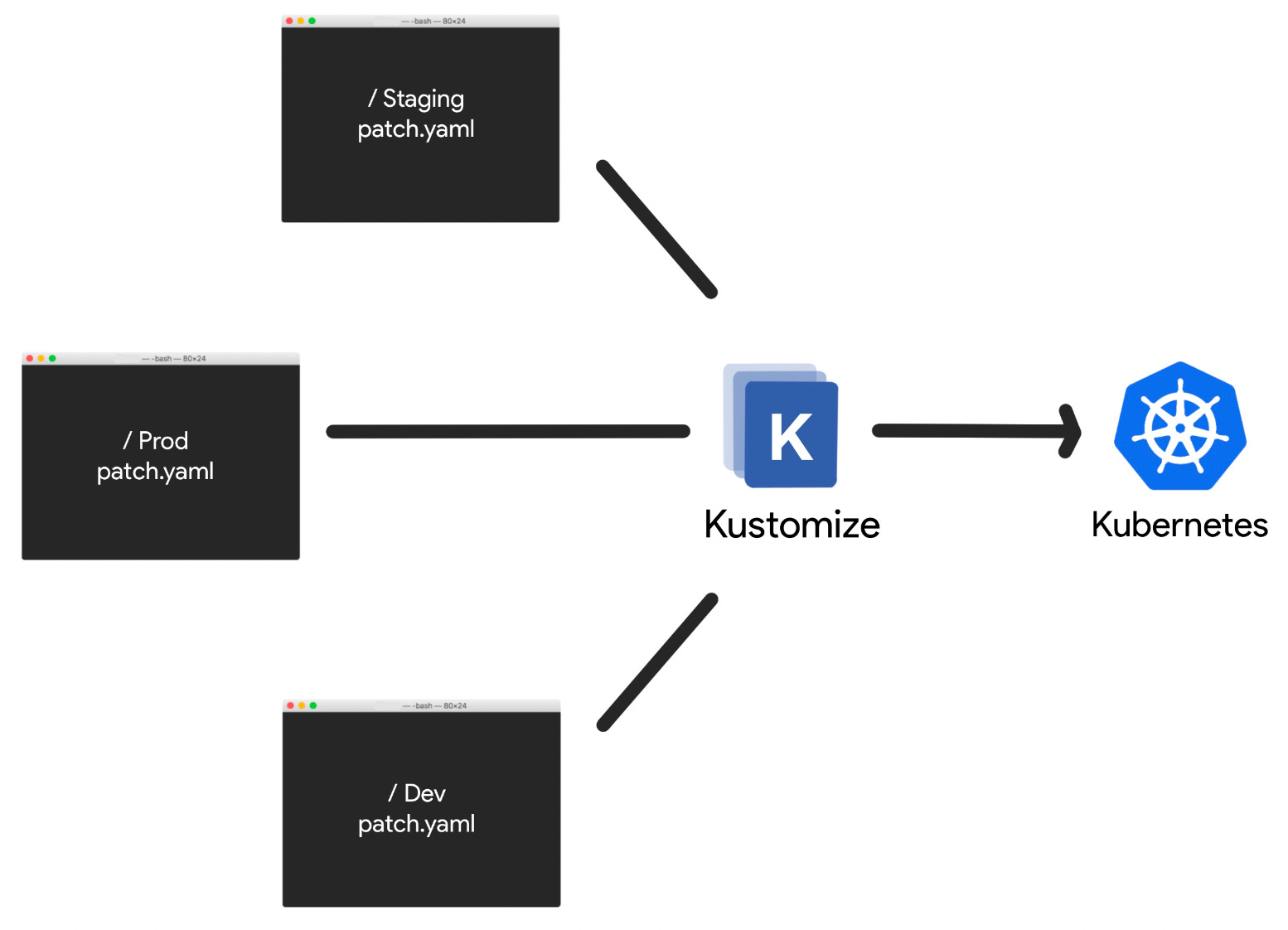
A useful analogy is the principle of inheritance in the Object-Oriented Programming (OOP) paradigm where objects derive properties and behaviors from a base class, which is similar to how Kustomize utilizes a base configuration as a foundational template, enabling overlays to extend and customize this base for different environments or use cases without modifications to it. This parallel highlights the shared concept of building upon a common core structure to create specialized, context-specific variations in both software development and K8s configuration management.
Kustomize vs. Helm
Kustomize differentiates itself from Helm, another widely used K8s configuration tool, through its specific focus and integration with K8s itself. It operates directly with standard YAML files, aligning seamlessly with K8s’ native mechanisms, unlike Helm, which relies on a templating engine to generate K8s manifests. This direct use of YAML in Kustomize simplifies the configuration process, reducing the complexity and potential errors associated with Helm’s templating system. Kustomize's approach centers on declarative configuration, where the desired state of resources is defined, contrasting with Helm's more procedural approach that combines templating with configuration.
Kustomize’s unique overlay feature allows for the creation of environment-specific configurations based on a base setup, which helps avoid duplication and maintain consistency—something that is managed differently in Helm through chart values and templates. Kustomize's use of strategic merge patches for resource updates offers a more nuanced and context-aware method than Helm's approach, particularly in handling complex configurations. Further, Kustomize's integration into the kubectl tool from K8s version 1.14 onwards provides an ease of access that Helm, as a separate installation, does not inherently offer. These distinctions make Kustomize a particularly effective choice for K8s users who prioritize direct K8s integration, simplicity, and a clear-cut, declarative approach to configuration management, compared to Helm's more templated, package-centric methodology.
Basic Structure of Kustomize
Kustomize allows you to customize and manage K8s manifests in a structured and modular way using bases and overlays. To effectively use Kustomize, it's essential to grasp these core concepts and how they work.
Bases
Bases are the foundation of Kustomize's structure. They are directory structures that contain your base K8s resources, such as Deployments, Services, ConfigMaps, and other YAML files. Bases are like templates for your resources, defining the common configurations that are shared across different environments or variations of your app.
Here's how bases work:
You organize your K8s resource YAML files into separate directories within your base.
Each directory represents a component or module of your app (e.g., frontend, backend, database).
These directories contain YAML files defining the resources specific to that component.
For example, you might have a directory structure where there’s a base and different environments (e.g., dev, prod):
.
├── base/
│   ├── frontend/
│   │   ├── kustomization.yaml
│   │   ├── deployment.yaml
│   │   ├── service.yaml
│   ├── backend/
│   │   ├── kustomization.yaml
│   │   ├── deployment.yaml
│   │   ├── service.yaml
├── overlays/
│   ├── dev/
│   │   ├── frontend/
│   │   ├── kustomization.yaml
│   │   │   ├── replica-patch.yaml
│   │   ├── backend/
│   │   ├── kustomization.yaml
│   │   │   ├── replica-patch.yaml
│   ├── prod/
...
Overlays
Overlays are where customization happens in Kustomize. They are directories that contain additional YAML files that modify or extend the base resources. Overlays allow you to tailor your K8s configurations for specific environments, like development, staging, or production.
Key points about overlays:
Overlays can inherit from bases, which means they reference the base directories and extend or customize them.
You can create multiple overlays, each representing a different environment or configuration variant.
Overlays use patches, patchesStrategicMerge, and transformers to apply changes to the base resources.
Within an overlays directory for instance, you could have subdirectories for each environment with specific YAML for patching customizations like updating replica count for a Deployment:
.
├── overlays/
│   ├── dev/
│   │   ├── frontend/
│   │   │   ├── replica-patch.yaml
│   ├── prod/
│   │   ├── frontend/
│   │   │   ├── replica-patch.yaml
How It All Fits Together
Kustomize combines bases and overlays to generate the final K8s manifests. Now let’s explain how the kustomization.yaml works. When you run Kustomize for a specific overlay, it:
Reads the base resources from the corresponding base directory.
Applies any patches or modifications defined in the overlay.
Generates the customized K8s manifests.
Here’s what the kustomization.yaml file may look like:
apiVersion: kustomize.config.k8s.io/v1beta1
kind: Kustomization

# Specify the base directory
bases:
- ../base

# Define the common labels applied to all resources across all overlays
commonLabels:
  app: my-app

# Declare overlays for different environments
overlays:
- ../../overlays/dev
- ../../overlays/prod
Now let’s assume we have following the K8s manifest files below in the base and overlay directories:
base/frontend/deployment.yaml
apiVersion: apps/v1
kind: Deployment
metadata:
  name: frontend
spec:
  replicas: 2
  template:
    spec:
      containers:
        - name: web
          image: my-app-frontend:v1
---
apiVersion: v1
kind: Service
metadata:
  name: frontend-service
spec:
  selector:
    app: frontend
  ports:
    - protocol: TCP
      port: 80
      targetPort: 80
overlays/dev/frontend/replica-patch.yaml
apiVersion: apps/v1
kind: Deployment
metadata:
  name: frontend
spec:
  replicas: 3  # Increase replicas for development
In the dev overlay, we've created patches to modify the replica counts for the frontend component. When you run Kustomize against the dev overlay, it combines the base resources with the overlay modifications:
kubectl apply -k overlays/devThis example showcases how Kustomize allows you to maintain a clean base of resources and apply specific customizations for different environments or scenarios using overlays.
Handling Cross-cutting concerns
To show how Kustomize can apply standard metadata, like naming prefixes/suffixes, namespace, labels, etc., across multiple K8s resource manifests, I will walk through a few of its built-in features using a practical example below:
Name Prefix/Suffix: add a prefix or suffix to the names of resources.
# kustomization.yaml
apiVersion: kustomize.config.k8s.io/v1beta1
kind: Kustomization
namePrefix: "dev-"
nameSuffix: "-001"
resources:
  - deployment.yaml
- service.yamlNamespace: specify a namespace for a group of resources.
# kustomization.yaml
apiVersion: kustomize.config.k8s.io/v1beta1
kind: Kustomization
namespace: dev
resources:
  - deployment.yaml
  - service.yaml
Common Labels: apply uniform labels (e.g., release) across various resources.
# kustomization.yaml
apiVersion: kustomize.config.k8s.io/v1beta1
kind: Kustomization
commonLabels:
  environment: development
  app: my-app
resources:
  - deployment.yaml
  - service.yaml
Common Annotations: adding consistent annotations to multiple resources.
# kustomization.yaml
apiVersion: kustomize.config.k8s.io/v1beta1
kind: Kustomization
commonAnnotations:
  note: "This is a development version"
resources:
  - deployment.yaml
  - service.yaml
ConfigMap and Secret Generators
Kustomize also lets you generate a ConfigMap or Secret. Suppose you have key-value pairs you want to include in a ConfigMap. You can define them directly in kustomization.yaml.
configMapGenerator:
- name: example-configmap
  literals:
    - key1=value1
    - key2=value2
Then, you can modify your resource files to use this ConfigMap. For example, in a deployment.yaml, you can reference example-configmap in the environment variables for a container.
Similar to ConfigMapGenerator, you can generated secrets with the SecretGenerator and encode the values in base64.
secretGenerator:
- name: example-secret
  literals:
    - username=admin
    - password=sOmE_sEcReT
# Note: In production, use more secure ways to handle secrets
Modify your resource files to use this Secret, similar to the ConfigMap.
Rollback a Deployment
Kustomize integrates nicely with git. To deploy from a git repo, it’s as simply as running the following command:
kubectl apply -k "github.com/kubernetes sigs/kustomize/examples/helloworld"If the change that’s rolled out breaks the application, you could rollback using a very simple workflow. For example, you could run the following commands:
Compare to remote Git repo state
kubectl diff -k "github.com/your-repo/your-app/path/to/environment"Rollback
cd target
git checkout HEAD~1
kubectl apply -k "github.com/your-repo/your-app/path/to/rollback-state"
Summary
Kustomize is a powerful and flexible tool that offers a structured and secure way of managing complex K8s configurations. By treating changes as part of application lifecycle, it aligns with the DevOps workflows. Whether you're a developer looking to simplify your deployment process or an ops pro aiming for consistency across environments, Kustomize is worth exploring as a part of your K8s toolkit.